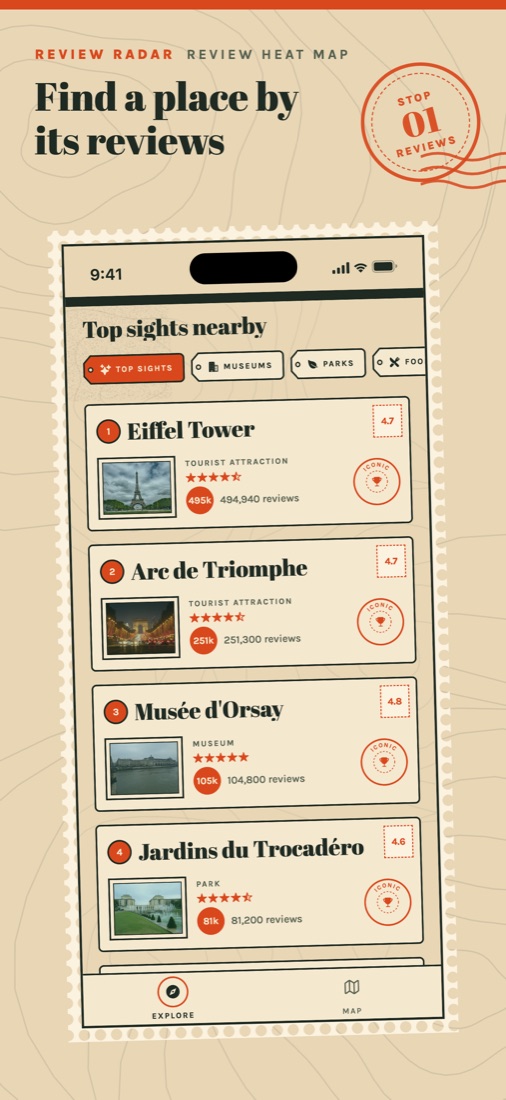
Review Radar draws every place around you as a dot printed with its number of Google reviews, green for a few and red for the most, and ranks them below the map. When one catches your eye, a voice tells you its story.
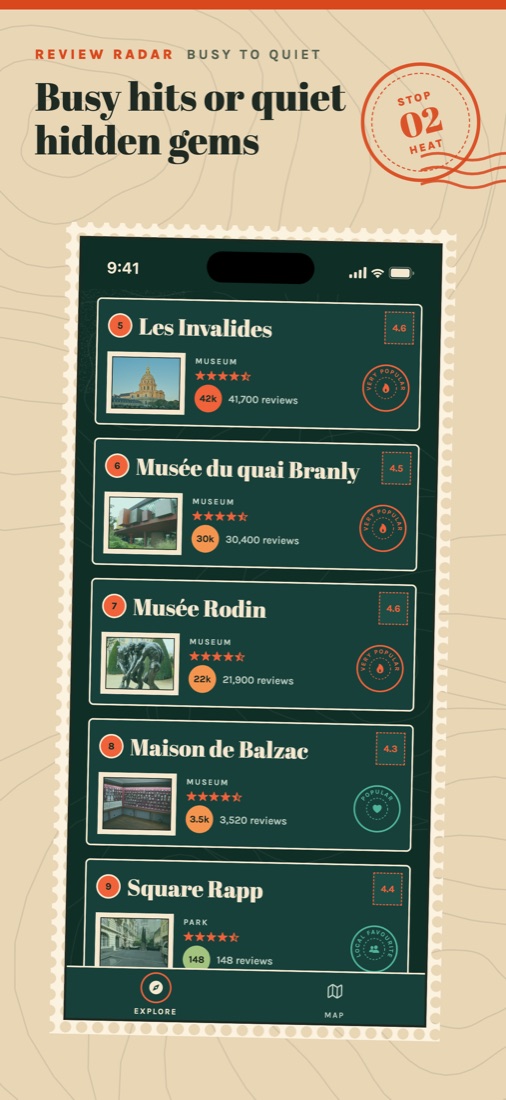
The biggest red number nearby is where most people have been. The small green ones are the quiet corners.
2
Open one
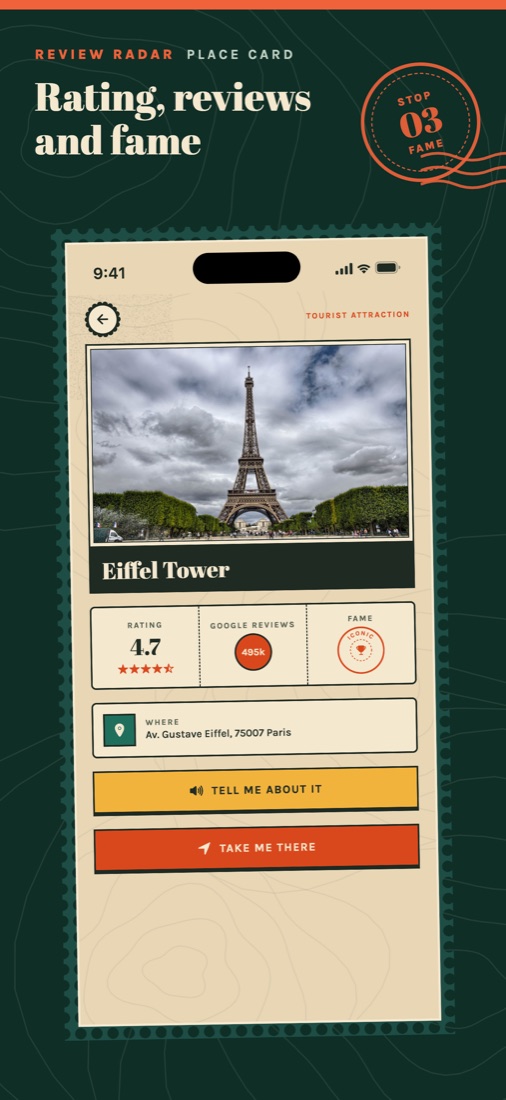
Its rating, review count, badge, photo and address, before you take a step.
3
Listen, then go
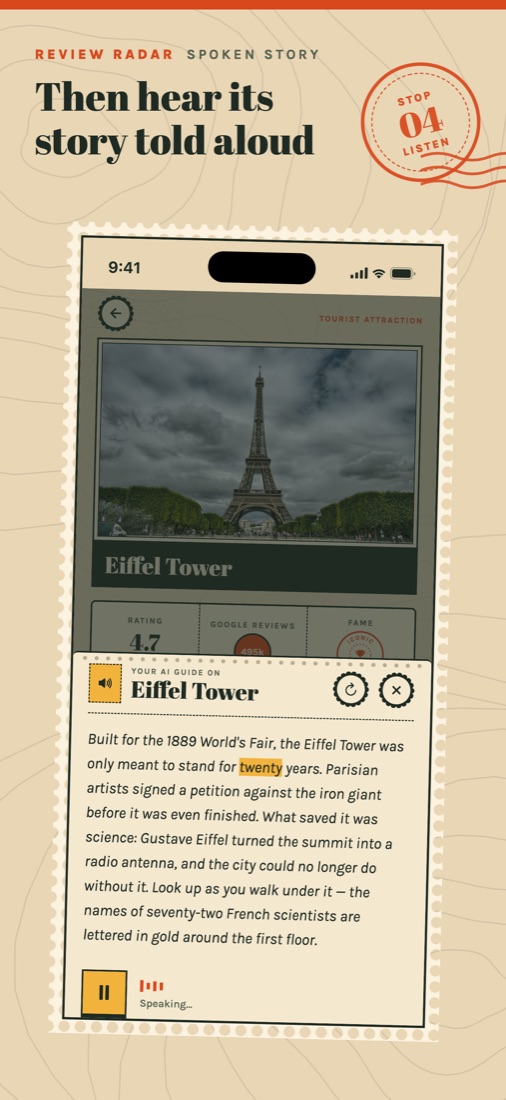
Hear its story out loud, then let Google Maps walk you to it.
Reviews first, stories second
Six things you can do in the current version.
1
Every place carries its review count
Open the app and the area is already marked: each dot shows how many Google reviews the place has, from a quiet green to a crowded red. No search needed.
2
The most-reviewed come first
Under the map, a ranked list puts the place with the most reviews on top and gives each one a badge — Iconic, Very popular, Popular, Local favourite or Hidden gem.
3
Search this area
Drag the map anywhere in the world and tap "Search this area". Tags narrow it to museums, parks, food, cafés, views or nightlife, and the search box looks only inside what you see.
4
Tell me about it
Pick a place and a voice tells its story — who built it, what happened there, why people still come. The story is written on our server; the voice runs on your phone, and each word lights up as it is spoken.
5
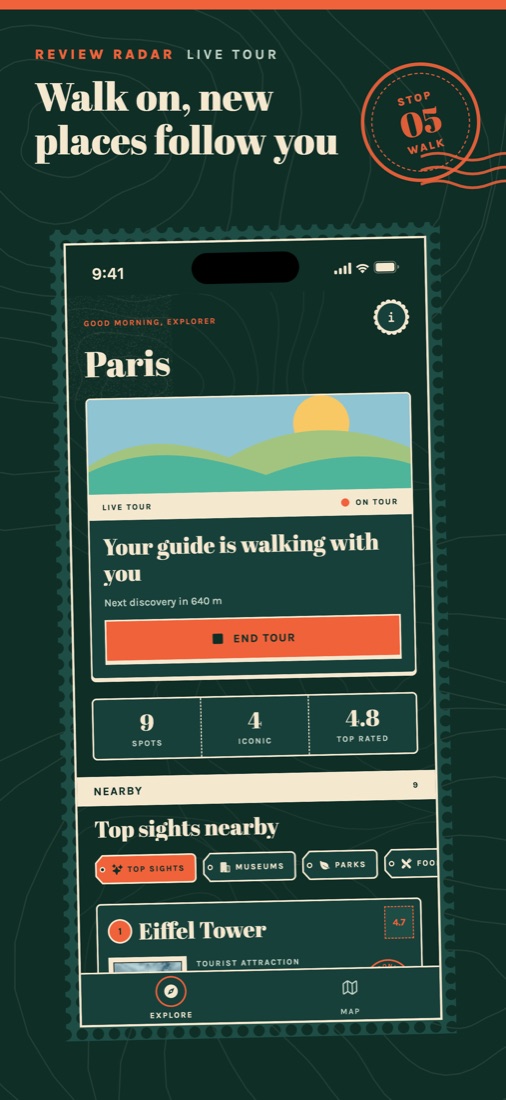
A live tour in your pocket
Start a live tour and walk. Each new neighbourhood redraws the review map around you, and crossing into a new town plays that town's story.
6
Take me there
One tap hands the place to Google Maps for walking directions.
Who sees what
Google receives the map area you look at, so it can return the places and their review counts — with no account attached. Location is asked for only when you tap a feature that needs it, and only while the app is open. A free account (Apple, Google or email) is needed just for the stories: our server receives the city and the place's name and address, has OpenAI write the story, and keeps nothing. The voice is generated on your phone. No ads, and the account can be deleted in the app.